
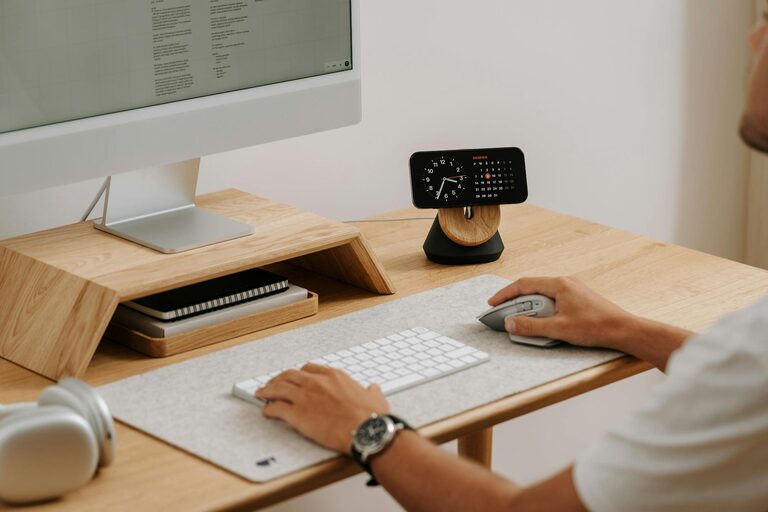
Creating a clutter-free home office is one of the best ways to improve your focus, reduce stress, and boost your productivity. Whether you’re working full-time from home or just need a dedicated space for occasional tasks, organising your workspace can make a significant difference in how efficiently you work. Here are some practical tips to help you design a neat, functional home office that inspires productivity.
Why a Clutter-Free Home Office Matters
A cluttered environment can be distracting and overwhelming, making it harder to concentrate. When everything has its place and unnecessary items are removed, you can find what you need quickly and maintain a calm, organised mind. A tidy office also promotes better habits, preventing procrastination and helping you stay motivated.
Step 1: Choose the Right Location
Start by selecting an area in your home that suits your work needs. Ideally, it should be quiet, well-lit, and separate from high-traffic zones to limit interruptions. If space is limited, consider a corner in your living room or bedroom that can be dedicated to work.
Tips for Choosing Your Home Office Spot:
– Near a window for natural light
– Away from distractions such as TV or noisy appliances
– Close to power outlets for electronics
– Enough room for your desk, chair, and storage
Step 2: Declutter Regularly
Before you organise, take a moment to clear out everything from your space. Sort through papers, books, office supplies, and miscellaneous items. Decide what to keep, donate, recycle, or throw away.
How to Declutter Effectively
– Use the “four box” method: keep, donate, recycle, bin
– Set a timer for 15–30 minutes to stay focused
– Avoid holding on to items you haven’t used in over a year
– Digitise important documents to reduce physical clutter
Step 3: Invest in Practical Storage Solutions
Good storage is key to maintaining an organised space. Choose furniture and organisers that suit your needs and the size of your office.
Storage Ideas to Consider
– Filing cabinets or portable file boxes for documents
– Drawer organisers to keep stationery neat
– Shelves to display books and equipment
– Cable organisers to keep cords tidy
– Bins or baskets for miscellaneous items
Using vertical space with shelves or wall-mounted organisers can help free up desk space and reduce clutter.
Step 4: Keep Your Desk Clear
Your desk is the primary area where you work, so keeping it free of clutter helps maintain focus.
Desk Decluttering Tips
– Only keep daily essentials on your desk, such as your computer, notebook, and pen
– Use desk organisers or trays for smaller items
– Remove empty cups, old papers, and unused stationery regularly
– Clean your desk surface at the end of each day
Step 5: Create an Efficient Filing System
Papers can quickly pile up if not managed, so develop a simple filing system that works for you.
Filing System Suggestions
– Categorise files by project, client, or subject
– Label folders clearly for easy identification
– Use colour-coded folders for quicker sorting
– Regularly review and archive old files
If possible, switch to digital files and cloud storage to reduce paper clutter.
Step 6: Personalise Mindfully
While personal touches can make your office feel welcoming, avoid overloading the space with decorations that can distract.
Tips for Personalising
– Limit decorative items to a few meaningful pieces
– Choose calming colours and plants for a refreshing atmosphere
– Use an inspiration board to keep motivational quotes or images
Step 7: Establish Daily and Weekly Routines
Maintaining a clutter-free office is an ongoing process. Set routines to keep your workspace organised.
Routine Ideas
– Spend the last 5–10 minutes of your workday tidying your desk
– Review and sort your emails and papers daily
– Dedicate time weekly to declutter and reorganise your space
Step 8: Optimise Lighting and Ergonomics
Good lighting and a comfortable setup also contribute to your productivity and wellbeing.
Lighting Tips
– Use a combination of natural and task lighting
– Position your desk to avoid glare on screens
Ergonomic Tips
– Choose a supportive chair
– Keep your computer screen at eye level
– Maintain good posture to reduce strain
Final Thoughts
Organising a clutter-free home office is more than just tidying up; it’s about creating an environment that supports your work goals and wellbeing. By following these tips, you can develop a space that helps you stay focused, motivated, and productive every day.
Remember, the key is consistency. Small daily habits and smart organisation choices will keep your home office clutter-free in the long run. Happy organising!