
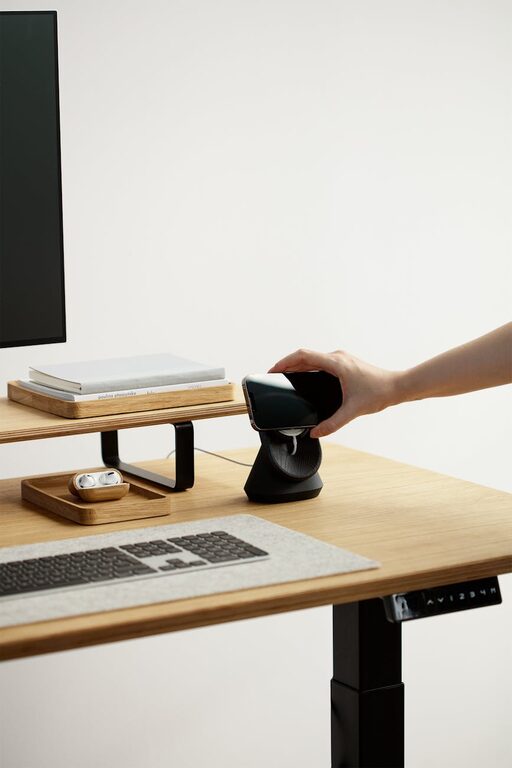
Creating a productive home office environment is essential for staying focused and efficient while working remotely. Whether you’re new to working from home or looking to refresh your workspace, a few thoughtful adjustments can make a big difference. Here are some helpful tips to guide you in setting up a home office that supports your best work.
Choose the Right Space
Find a Dedicated Area
Selecting a dedicated space for your home office helps create a clear boundary between work and personal life. Ideally, choose a quiet spot away from high-traffic areas. This might be a spare room, a corner in the living room, or even a well-organised nook.
Consider Natural Light
Good lighting is important for productivity and wellbeing. Position your desk near a window to benefit from natural light, which can boost your mood and reduce eye strain. If natural light is limited, invest in quality task lighting that mimics daylight.
Invest in Comfort and Ergonomics
Get a Comfortable Chair
Since you’ll be spending several hours sitting, a supportive chair is a must. Look for one that encourages good posture with adjustable height, lumbar support, and comfortable cushioning.
Use an Adjustable Desk
If possible, use a desk that allows you to alternate between sitting and standing. Standing desks or adjustable desk converters can reduce fatigue and improve circulation.
Position Your Screen Correctly
Your monitor should be at eye level and about an arm’s length away. This setup helps prevent neck and eye strain. Use a monitor stand, laptop riser, or stack of books to achieve the right height.
Keep Your Workspace Organised
Declutter Regularly
A tidy desk helps clear your mind and minimise distractions. Remove unnecessary items, keep essential tools within reach, and regularly clean your workspace.
Use Storage Solutions
Use shelves, drawers, and organisers to keep documents, stationery, and cables neat and accessible. Label storage containers for easy identification.
Plan Your Desk Layout
Arrange frequently used items, like your keyboard, mouse, and notepad, so you can access them comfortably. Keep your workspace varied but orderly to maintain focus.
Establish a Work Routine
Set Working Hours
Define clear start and finish times to create a routine. Consistent working hours help maintain work-life balance and improve productivity.
Take Regular Breaks
Avoid long periods of sitting and staring at screens. Use techniques like the Pomodoro method—working for 25 minutes, then taking a 5-minute break—to refresh your mind.
Create a Morning Ritual
Start your day with a routine that signals the beginning of work, such as making a cup of tea, reviewing your to-do list, or organising your workspace.
Minimise Distractions
Control Noise Levels
If noise is a problem, consider noise-cancelling headphones or white noise apps to mask background sounds. Inform family members or housemates about your working hours to reduce interruptions.
Manage Digital Distractions
Turn off non-urgent notifications on your devices and use browser extensions to block distracting websites while you work.
Keep Personal Items Separate
Try to keep personal devices and clutter away from your desk to help maintain your focus on work tasks.
Personalise Your Space
Add Plants and Decor
A splash of greenery or personal items like photos or artwork can make your office more inviting and boost your mood.
Choose Calming Colours
Soft, neutral colours tend to create a relaxing atmosphere conducive to concentration. Avoid overly bright or distracting colours in your workspace.
Incorporate Inspirational Elements
Place motivational quotes, calendars, or vision boards nearby to keep your goals in sight and your motivation high.
Optimise Technology and Connectivity
Ensure Reliable Internet
A strong internet connection is vital for video calls, research, and cloud-based work. If necessary, upgrade your plan or use an ethernet cable for a stable link.
Use Quality Equipment
Invest in good-quality peripherals such as a keyboard, mouse, webcam, and microphone to improve your work experience.
Keep Your Devices Charged and Backed Up
Use a charging station to keep devices powered throughout the day. Regularly back up your work to prevent data loss.
Stay Active and Healthy
Encourage Movement
Incorporate stretches or short walks into your day to reduce stiffness and boost circulation.
Maintain Hydration and Nutrition
Keep a water bottle nearby and eat balanced meals to maintain energy and focus.
Create a Relaxing End-of-Day Routine
Switch off your computer and organise your workspace at the end of the day to signal the transition from work time to personal time.
—
Creating a home office that works for you is an ongoing process that involves trial, adjustment, and mindful preparation. By focusing on comfort, organisation, and routine, you can design a productive environment that supports your professional goals and personal wellbeing. Taking the time to establish this space will pay off in improved focus and work satisfaction.