
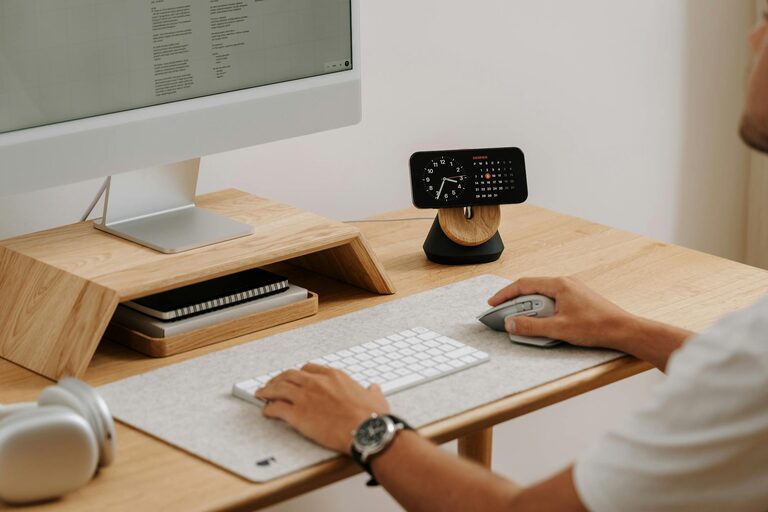
Creating a productive home workspace environment is key to maintaining focus, boosting output, and enjoying your work-from-home routine. Whether you’re working remotely full-time or just occasionally, having a designated area that supports your tasks can make a significant difference. This guide shares essential tips to help you design a workspace that promotes productivity and comfort.
Choose the Right Location
The first step in creating a productive home workspace is selecting the ideal spot in your home. Consider the following:
– Quiet Area: Choose a place away from household noise and distractions, such as a spare room or a corner in a less busy area.
– Natural Light: Whenever possible, position your desk near windows to benefit from natural light, which can improve mood and reduce eye strain.
– Space Availability: Ensure there is enough room for your equipment, storage, and movement to avoid feeling cramped.
If space is limited, consider multi-functional furniture or vertical storage to optimise the area.
Invest in Comfortable and Ergonomic Furniture
Comfort plays a huge role in productivity. Spending hours in an uncomfortable chair or at a poorly situated desk can lead to physical strain and reduce concentration.
– Ergonomic Chair: Look for a chair with adjustable height, lumbar support, and comfortable cushioning.
– Desk Height: Your desk should allow your forearms to be parallel to the floor when typing. Adjustable desks or desk risers can help.
– Monitor Position: Place screens at eye level to avoid neck and eye strain, ideally about an arm’s length away.
Regular breaks to stretch and move are also essential to avoid stiffness and fatigue.
Organise Your Workspace Efficiently
A tidy and organised workspace helps clear your mind and improve focus.
– Declutter Daily: Remove unnecessary items from your desk at the end of each working day.
– Storage Solutions: Use shelves, drawers, and organisers to keep documents and supplies in order.
– Cable Management: Use clips, ties, or stands to prevent cables from tangling and cluttering your desk.
A clutter-free environment reduces stress and helps maintain a clear workflow.
Manage Lighting and Temperature
Proper lighting and a comfortable temperature contribute to your productivity and well-being.
– Lighting: In addition to natural light, use adjustable desk lamps with soft, warm light to avoid glare, especially during evening hours.
– Temperature: Ensure your workspace is well-ventilated with a pleasant temperature that helps maintain alertness. Avoid overly warm or cold environments, as they can be distracting.
Consider using portable fans, heaters, or air purifiers if your space tends to get uncomfortable.
Minimise Distractions
Distractions can quickly derail your workflow. Here are some ways to stay focused:
– Noise Control: Use noise-cancelling headphones or white noise machines if you’re in a noisy environment.
– Set Boundaries: Communicate work hours with family or housemates to minimise interruptions.
– Digital Discipline: Use apps or browser extensions to block distracting websites during work hours.
Creating a routine and sticking to it can also help reduce distractions.
Personalise Your Workspace
Adding personal touches can make your workspace a place you enjoy spending time in, which can enhance motivation.
– Plants: Indoor plants improve air quality and add a calming green touch.
– Artwork or Photos: Visual elements can uplift your mood and personalise the space.
– Comfort Items: Consider cushions, a blanket, or a footrest to make your workspace cosy.
However, avoid over-decorating as excessive visual stimuli might become distracting.
Create Healthy Work Habits
Beyond the physical environment, establishing good habits supports productivity.
– Set Regular Hours: Maintain consistent start and finish times to build routine.
– Take Breaks: Use techniques like the Pomodoro method to balance focus and rest.
– Stay Hydrated and Eat Well: Keep water nearby and schedule meals away from your desk.
Having clear boundaries between work and leisure time helps prevent burnout.
Utilise Technology Wisely
Use technology that supports your workflow without overwhelming you.
– Reliable Equipment: Invest in quality tools such as a fast computer, high-speed internet, and proper peripherals (keyboard, mouse).
– Software Tools: Use calendars, task management apps, or communication platforms to stay organised and connected.
– Backup Your Work: Regularly save files in multiple locations, including cloud storage, to avoid data loss.
Technology should streamline your work, so choose solutions that fit your needs.
—
By thoughtfully designing your home workspace and adopting suitable habits, you can improve your productivity and experience a more enjoyable work-from-home routine. Start by assessing your current setup and making incremental changes to create an environment that supports your professional goals and personal well-being.